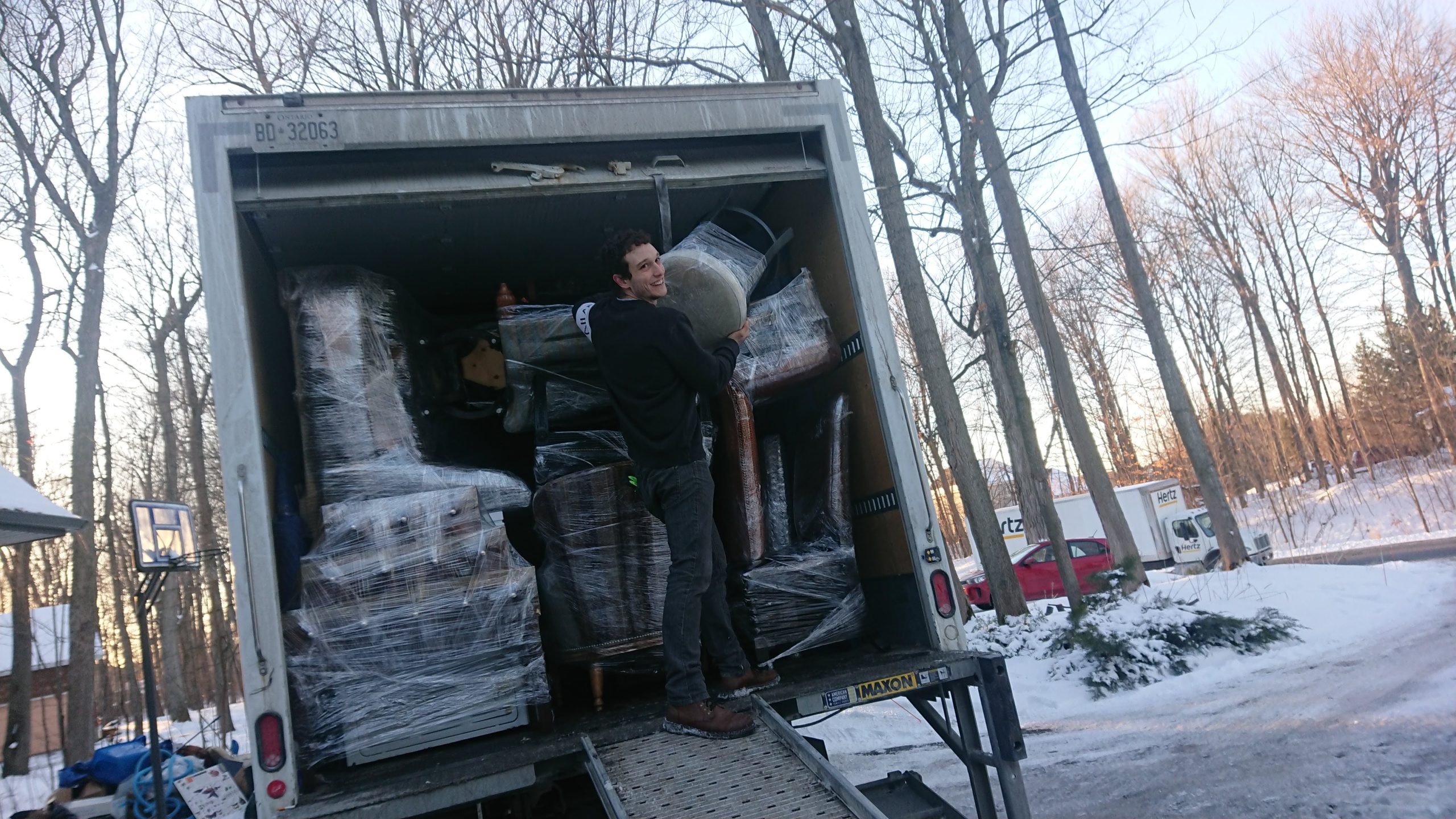


For many Ottawa residents, a home office is no longer simply a desk in the corner of a spare room. It may be where client meetings happen, projects are completed, businesses are managed, and an entire workweek takes place.
That makes moving a home office very different from packing an ordinary room.
A desk can be transported. A chair can be wrapped. Boxes of office supplies can be labeled. But maintaining access to computers, important documents, chargers, internet service, and essential equipment requires more thoughtful planning.
For professionals, remote employees, entrepreneurs, and business owners moving throughout Ottawa, Kanata, Barrhaven, Orleans, Nepean, Riverside South, Stittsville, Gloucester, Westboro, Manotick, Greely, and Downtown Ottawa, the goal is often straightforward: relocate the household without allowing the move to unnecessarily disrupt work.
At Labelle Moving, we understand that modern residential moves frequently include fully equipped workspaces. By planning the home office separately from the rest of the household, homeowners can protect valuable equipment, stay organized, and get back to work more quickly after arriving at the new address.
Here is how to prepare a home office for a move while keeping productivity in mind.
Treat the Home Office as Its Own Moving Project
A common mistake is treating the office like any other room.
It may contain far more important equipment and information than homeowners initially realize.
Before packing, create an inventory of the workspace.
This may include:
- Desktop computers
- Laptops
- Monitors
- Printers
- Scanners
- External drives
- Keyboards
- Office furniture
- Filing cabinets
- Reference materials
- Networking equipment
- Chargers and cables
Knowing exactly what needs to move makes it easier to create an organized packing sequence.
Decide How Much Downtime Is Realistic
Someone who works remotely five days a week may not be able to pack the office two weeks before moving.
Instead, determine when the workspace can realistically be disconnected.
Consider:
- Work deadlines
- Scheduled meetings
- Client commitments
- Moving date
- Internet activation
- Time needed to rebuild the workspace
Whenever possible, homeowners can arrange their schedule so the office is among the final rooms packed and one of the first rooms made functional at the new property.
That simple priority can significantly reduce disruption.
Confirm Internet Service Before Moving Day
A beautiful new office is not particularly useful if it cannot connect to the internet.
Homeowners who depend on reliable connectivity for work should arrange the appropriate service at the new address well in advance.
Confirm when possible:
- Service availability
- Activation arrangements
- Equipment requirements
- Router location
People moving between communities such as Kanata, Barrhaven, Orleans, Riverside South, Stittsville, Nepean, or Gloucester should not automatically assume their existing setup will transfer without preparation.
Internet planning should be treated as part of the move rather than something to handle after arriving.
Back Up Important Information
Before disconnecting computers, important files should be backed up appropriately.
Moving involves physical handling, transportation, and reconnecting equipment. Maintaining an appropriate backup provides additional peace of mind.
This may be particularly important for:
- Business documents
- Client files
- Financial records
- Creative projects
- Photographs
- Work archives
The move is also a good opportunity to review digital organization and remove files or equipment that are no longer required.
Photograph the Cable Setup
Modern workstations can contain an impressive collection of wires.
Before unplugging everything, take clear photographs showing where cables connect.
Photographs can provide a useful reference for:
- Monitors
- Desktop computers
- Printers
- Speakers
- Docking stations
- Networking equipment
Even a simple setup can become confusing when several similar cables are packed together.
A few photographs can make rebuilding the workstation considerably easier.
Label Cables Before Disconnecting Them
Photos are helpful, but labels make the process even easier.
Cables can be identified according to the equipment they belong to.
For example:
- Main monitor
- Second monitor
- Printer
- Router
- Laptop dock
Keeping each group together prevents the familiar moving-day mystery of having a collection of cables without knowing where they belong.
Small accessories can also be stored securely with the appropriate equipment.
Do Not Toss Electronics Into Ordinary Boxes
Computers and monitors should be prepared carefully for transportation.
Electronics can be vulnerable to:
- Impact
- Pressure
- Movement inside boxes
- Moisture
- Extreme conditions
If original packaging is still available and appropriate, it may be useful. Otherwise, suitable protective materials should be used to help limit movement and contact.
Screens deserve particular care.
Homeowners should also clearly identify boxes containing sensitive equipment so the moving team knows they require careful handling.
Keep Critical Devices With You When Appropriate
Some devices may be essential immediately before and after the move.
Depending on the homeowner’s situation, these might include:
- Laptop
- Mobile phone
- Work phone
- External storage device
- Chargers
Keeping essential portable work equipment accessible can provide flexibility if the larger office setup takes longer than expected.
It may also allow someone to work temporarily from another location if necessary.
Paper Files Need Organization Too
Although many workplaces have become increasingly digital, home offices can still contain substantial paperwork.
Before packing filing cabinets, review documents and determine what actually needs to move.
Homeowners may discover:
- Duplicate records
- Outdated paperwork
- Unnecessary printed materials
- Old manuals
Documents that need to be retained should be organized securely.
Important or confidential records deserve appropriate care and should not be placed casually into open moving boxes.
Declutter Office Supplies
Desk drawers have a remarkable ability to accumulate objects.
Pens that no longer work, outdated notebooks, duplicate cables, old business cards, and unused accessories can follow homeowners from one address to another for years.
Before packing, sort through:
- Stationery
- Cables
- Old electronics
- Manuals
- Notebooks
- Desk accessories
Moving only useful supplies creates a cleaner workspace at the destination.
Measure the New Office Before Moving Furniture
The new workspace may have a completely different layout.
A large executive desk that worked in a spacious suburban home may overwhelm a smaller room or condominium.
Before moving furniture, measure:
- Room dimensions
- Doorways
- Desk
- Shelving
- Filing cabinets
- Other large office pieces
Homeowners relocating from larger properties in Manotick, Greely, Kanata, or Barrhaven into smaller homes or condominiums should pay particular attention to furniture scale.
There is little value in carefully transporting a large desk that cannot function comfortably in the new room.
Think About Where the Desk Should Go
Desk placement can influence how comfortable and functional a home office becomes.
Consider:
- Electrical outlets
- Internet equipment
- Natural light
- Window glare
- Background for video meetings
- Walking space
Planning these details before moving day allows furniture to be placed appropriately during unloading.
That means less rearranging afterward.
Home Office Moves in Condos Require Extra Planning
Professionals moving into condominiums in Downtown Ottawa, Westboro, Nepean, Gloucester, or other urban areas should coordinate office equipment with the building’s overall moving requirements.
Large desks and filing cabinets need to fit through:
- Building entrances
- Elevators
- Corridors
- Unit doorways
Elevator reservations and moving windows may also limit how much time is available for unloading.
Knowing exactly where office furniture will go can help make better use of that scheduled access.
Pack the Office Late and Unpack It Early
For people who rely on the workspace daily, this is one of the most useful strategies.
Keep the office operational as long as practical at the current address.
Then prioritize it after arriving.
A moving sequence might look like this:
- Pack non-essential office supplies early.
- Organize files and reference materials.
- Prepare furniture.
- Disconnect essential technology close to moving day.
- Transport the office.
- Position furniture at the destination.
- Reconnect essential equipment.
- Unpack secondary office belongings later.
This minimizes the time between shutting down one workspace and opening the next.
Prepare a Work Essentials Bag
Just as families prepare first-night essentials, remote workers can prepare a work essentials bag.
It might include:
- Laptop
- Charger
- Headset
- Notebook
- Important documents
- Phone charger
- Mouse
- Essential adapters
If the complete office cannot be rebuilt immediately, this kit can support temporary work.
It should remain clearly separated from general household boxes.
Create a Temporary Workspace if Necessary
Sometimes moving dates and work schedules simply do not align perfectly.
A temporary workspace can bridge the gap.
Even a basic setup with a laptop, charger, comfortable chair, and reliable connection may be enough for a short period.
Knowing this option exists can reduce pressure to completely organize the office on the first evening.
The priority is restoring essential functionality—not creating a perfectly decorated room immediately.
Keep Office Boxes Clearly Identified
Office boxes should be labeled according to both room and contents.
Examples include:
HOME OFFICE – COMPUTER ACCESSORIES
HOME OFFICE – FILES
HOME OFFICE – BOOKS
This helps ensure boxes reach the correct room rather than being mixed with general household belongings.
For multi-level homes in Barrhaven, Riverside South, Kanata, Orleans, or Stittsville, clear destination labels can save significant time during unloading.
Do Not Overload Boxes With Books and Files
Books and paper can become surprisingly heavy.
Instead of filling large boxes completely with files or reference books, use appropriately sized containers that remain manageable.
Heavier office materials should generally be distributed rather than concentrated into oversized boxes.
This makes handling more practical while helping protect the containers and their contents.
Protect the Office Furniture
Desks, shelving, filing cabinets, and office chairs also require preparation.
Depending on the furniture, homeowners may need to:
- Empty drawers
- Remove loose shelves
- Secure movable components
- Disassemble selected pieces
- Protect finished surfaces
Any hardware removed during disassembly should be kept organized and clearly associated with the correct furniture.
This makes rebuilding the office much easier.
Businesses Operated From Home May Need Additional Planning
A home office can sometimes support much more than remote employment.
Entrepreneurs may manage:
- Client communication
- Inventory
- Records
- Shipping materials
- Specialized equipment
In these situations, the workspace may need a more detailed moving plan.
Business-critical belongings should be identified and prioritized according to how quickly they will be needed after the move.
The objective is to prevent the relocation from creating unnecessary interruptions.
Local Travel Time Should Be Considered
A move within Ottawa may still involve meaningful travel time between properties.
Someone relocating from Orleans to Kanata, Barrhaven to Gloucester, Manotick to Downtown Ottawa, or Stittsville to Nepean should consider how the distance affects the day’s schedule.
If the office needs to be operational quickly, travel and unloading time should be included in the plan rather than assuming the workstation will be ready immediately.
Realistic expectations help prevent unnecessary stress.
Protect Work-Life Boundaries at the New Home
Moving provides an opportunity to reconsider how the home office fits into daily life.
Instead of automatically recreating the old setup, homeowners can ask:
- Is the workspace comfortable?
- Is there enough storage?
- Can work equipment be organized better?
- Does the room provide enough separation from household activity?
A new address can become an opportunity to build a more functional working environment.
Good Moving Organization Supports Productivity
A well-organized office move is ultimately about reducing disruption.
When equipment is protected, cables are labeled, internet service is planned, furniture destinations are known, and essential devices remain accessible, returning to work becomes much easier.
At Labelle Moving, we recognize that every household has different priorities. For some clients, getting the children’s bedrooms ready is most important. For others, rebuilding the home office quickly may be essential.
Understanding those priorities helps us organize the move around the household’s actual needs.
A New Workspace Can Be a Fresh Start
The first workday at a new address can feel surprisingly significant.
A different view, improved layout, better storage, or quieter room may completely change the working experience.
Instead of seeing the office move only as another packing task, homeowners can use the relocation to create a workspace that supports the way they work today.
That could mean fewer unnecessary files, cleaner cable organization, more suitable furniture, or simply a room that feels more comfortable.
The move becomes both a relocation and a reset.
Final Thoughts
Moving a home office requires more planning than putting a computer into a box.
The best approach is to treat the workspace as a separate part of the relocation: identify essential equipment, back up important information, label cables, protect electronics, measure the destination, confirm internet arrangements, and keep critical work items accessible.
Whenever possible, pack the office late and make it functional early.
Whether relocating between Kanata and Downtown Ottawa, Barrhaven and Nepean, Orleans and Gloucester, Riverside South and Stittsville, or moving anywhere throughout Ottawa, Westboro, Manotick, Greely, and surrounding communities, thoughtful preparation can help keep work disruption to a minimum.
At Labelle Moving, we help Ottawa homeowners move the spaces that matter to everyday life—including the places where they work.
Call to Action
Planning a residential move and need to relocate a fully equipped home office along with the rest of your household?
Call or text Labelle Moving at (343) 943-MOVE for a free moving estimate. We proudly serve Ottawa, Kanata, Barrhaven, Orleans, Nepean, Riverside South, Stittsville, Gloucester, Westboro, Manotick, Greely, Downtown Ottawa, and surrounding communities.
Let our experienced team help you organize the physical move so you can spend less time worrying about boxes and more time getting comfortably established—and back to work—at your new address.